

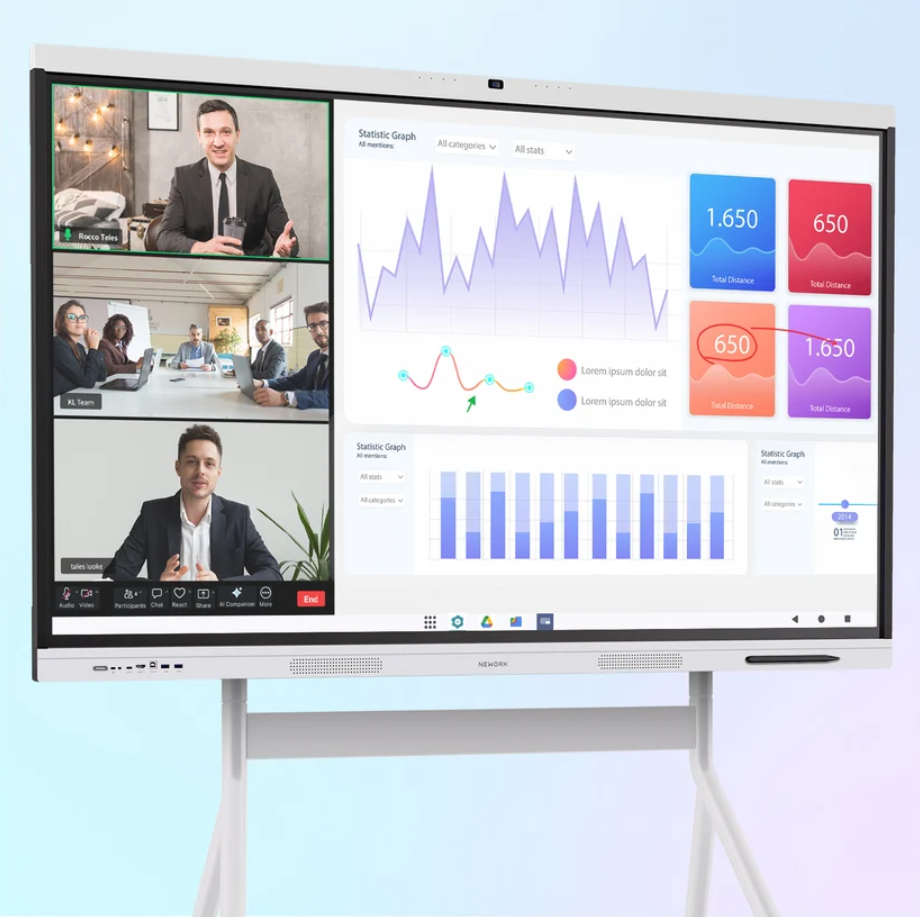
Business meetings often lose time before the discussion even begins. Employees connect laptops, check audio, switch display inputs, and open conferencing software. When these steps happen several times a day, the delays can affect productivity. An all-in-one meeting board may be a practical option for companies that want simpler setup, smoother collaboration, and fewer separate devices in their meeting rooms.
With over 20 years of professional audiovisual industry experience, Nework develops smart display and collaboration solutions for business and education. Its NewBoard series combines interactive display functions with meeting collaboration tools. Businesses considering an upgrade can explore Nework‘s solutions and assess whether an integrated meeting board fits their room requirements, working habits, and budget.
When Does an All-in-One Meeting Board Make Sense?
An integrated board is worth considering when employees frequently hold video conferences, share presentations, and work on documents together. Instead of managing several independent devices, teams can use one central display for meetings and interactive discussions. This arrangement can be useful for small and medium-sized businesses with limited IT support.
The benefits depend on how the room is used. A small meeting room used for daily team updates may benefit from a straightforward connection process. A conference room used for client presentations may need reliable access to video conferencing software and clear content sharing. Businesses should identify their main meeting activities before comparing equipment.
An all-in-one board may be less necessary when a company already has a compatible display and conferencing system that works well. Replacing functional equipment can add costs without producing a meaningful improvement. The decision should focus on actual workflow problems rather than the number of features offered.
Which Features Matter in Daily Business Meetings?
Connection options are an important starting point. Full-function USB-C can carry video, audio, data, and power through one cable when the connected laptop and cable support the required functions. HDMI offers another way to connect compatible devices. These options can reduce setup steps and make it easier for employees to present content.
Wireless screen sharing is useful when several participants need to present from their own devices. It can reduce the need to exchange cables during a discussion. Touch interaction and collaborative annotation also help teams review proposals, mark up documents, and explain ideas directly on the display. Their value depends on whether employees regularly work with visual content.
For businesses evaluating the NewBoard P series for business, application compatibility deserves particular attention. The product information describes Google-certified EDLA support, access to Google Play, and support for Microsoft Teams, Zoom, and Google Meet. Buyers should verify application availability, account requirements, and IT policies before deployment, especially when company devices operate under managed security settings.
The meeting experience also depends on employee habits. If teams mainly use video calls and slide presentations, simple connections and conferencing access may be the priority. Design, training, and project teams may place greater value on annotation and interactive collaboration. Matching functions to daily tasks helps avoid paying for capabilities that see little use.
How Can Businesses Control Deployment and Maintenance Costs?
A meeting board needs to fit the room as well as the workflow. Before purchasing, businesses should assess viewing distance, room dimensions, lighting, seating, and the number of participants. They should also check wall mounting requirements, power access, network coverage, and cable routing. Overlooking these details can lead to extra installation work or delays.
Device compatibility is another practical consideration. IT teams should test connections with the laptops and operating systems employees use. They should review network permissions and confirm that the selected conferencing applications can operate within company policies. A short technical assessment before ordering can help identify issues early.
Purchase price is only one part of the cost calculation. Businesses should compare an integrated board with the combined cost of a separate display, conferencing equipment, installation, cables, and maintenance. They should also consider employee training and the time required to prepare meeting rooms. The financial benefit depends on how much complexity the new setup removes.
After-sales support should be reviewed before the purchase order is confirmed. Procurement teams can ask about warranty coverage, troubleshooting procedures, software updates, repair arrangements, and access to technical assistance. Companies deploying equipment across several rooms may also benefit from standardized configurations and clear operating instructions. These measures make routine management easier for internal IT staff.
What Should Buyers Check Before Making a Decision?
A structured evaluation can help procurement teams compare products on practical grounds. First, estimate how frequently the meeting room is used and identify the problems employees encounter with the existing setup. Next, confirm the required conferencing applications, connection methods, and interactive functions. This creates a clear basis for comparing suitable configurations.
Buyers should then review installation conditions, ongoing support, and the total cost of ownership. A demonstration can help employees assess screen interaction, content sharing, and meeting controls before a purchase. For multi-room projects, testing one room first may reveal configuration or training needs before the company expands the deployment.
The NewBoard P series for business is an option for organizations seeking an integrated display for professional video conferencing. Its suitability should be assessed against specific room requirements, software needs, and procurement priorities. Businesses should confirm the final configuration and relevant support arrangements with the supplier rather than relying on general product descriptions alone.
Choose Equipment That Fits the Way Teams Work
An all-in-one meeting board makes sense when it reduces recurring setup difficulties, supports existing meeting platforms, and gives employees a more direct way to share and discuss information. It is less compelling when current equipment already meets those needs or when specialized room requirements call for additional components.
For business buyers, the decision is ultimately about daily use and long-term value. Reviewing connectivity, collaboration features, installation requirements, maintenance, and supplier support together provides a clearer basis for investment. The right configuration should make meetings easier to manage while keeping equipment costs aligned with actual business needs.
